
 See My Latest Article on HelloNation
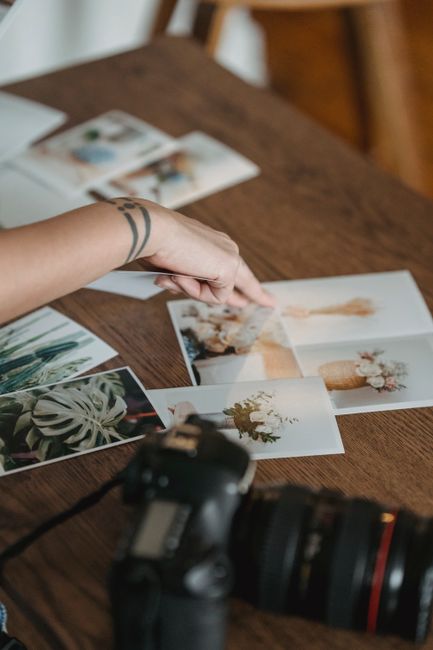
Photographing artwork for printing requires more than taking a clear picture. The camera must record accurate color, even lighting, straight edges, and enough detail for the intended print size. Careful setup matters because small errors in glare, perspective, or white balance can become much more noticeable on paper.
For artists and collectors in Ruston, LA, a controlled indoor setup is often the most reliable option. It avoids changing sunlight, wind, humidity, and other outdoor conditions that can make color and reflections difficult to manage.
What is the best lighting for photographing artwork?
The best lighting is soft, even, and positioned at equal angles on both sides of the artwork. Avoid direct sunlight, a single ceiling light, or any lamp that creates a bright spot in the center of the image.
A simple setup uses two matching lights placed to the left and right of the artwork. The lights should be approximately the same distance from the piece and aimed toward it at roughly 45-degree angles. This arrangement helps spread illumination across the surface while reducing harsh reflections.
Use daylight-balanced lights when possible, especially if the artwork is white, gray, blue, or highly color-sensitive. Mixed lighting can create uneven color because the camera may receive warm light from one source and cooler light from another.
For glossy paintings, varnished surfaces, glass, and framed artwork:
- Turn off nearby room lights.
- Remove artwork from behind glass if it can be done safely.
- Change the angle of the lights rather than pointing them directly at the surface.
- Wear clean gloves when handling delicate or finished work.
- Watch for reflections from windows, walls, clothing, and the camera itself.
A cloudy day can provide soft outdoor light, but outdoor photography is less predictable. Moving clouds, changing exposure, and reflected color from nearby surfaces can affect consistency between photographs.
Should artwork be photographed indoors or outdoors?
Indoor photography is usually easier to control, particularly for artwork that must match an original closely. A room with neutral-colored walls and limited natural light can provide a more stable environment.
In Ruston, seasonal humidity and warm conditions may also affect how paper, canvas, wood, and adhesives behave. Artwork should be allowed to rest in the room before photographing, rather than being moved directly from a hot vehicle, porch, attic, or storage area into an air-conditioned space. Sudden temperature changes can contribute to condensation or slight material movement.
Choose a location with:
- A stable temperature
- Minimal dust and airborne particles
- No direct sunlight on the artwork
- Enough space to position the camera straight in front
- Neutral walls or removable neutral backdrops
Do not place the artwork on a floor or leaning surface if the camera must be tilted downward. That makes perspective correction more difficult and can cause the final image to look stretched.
How should the camera be positioned?
The camera lens should be centered directly in front of the artwork, parallel to its surface. The center of the lens should align with the center of the piece.
If the camera points upward, downward, or sideways, the artwork may appear trapezoidal instead of rectangular. This distortion can be corrected with software, but correcting it too aggressively may reduce detail near the edges.
A sturdy tripod is strongly recommended because it keeps the camera still and makes repeated photographs consistent. Place the artwork on a wall or secure vertical support, then adjust the camera height rather than tilting the camera.
Check the edges through the viewfinder or screen:
- All four corners should be visible.
- The artwork should be evenly spaced within the frame.
- The frame or backing should not appear tilted.
- The lens should be centered rather than positioned off to one side.
If the artwork is larger than the camera’s field of view, move the camera farther back instead of using an extreme wide-angle setting. Wide-angle lenses can exaggerate edge distortion.
Which camera settings help preserve detail?
Use the lowest practical ISO setting. A low ISO generally produces cleaner color and less digital noise, especially in shadow areas and subtle gradients.
Manual exposure is useful because the camera will otherwise react to large white or dark areas and may make one artwork look brighter or darker than another. Aperture settings in the middle of the lens range often provide good sharpness, but the exact setting depends on the camera and lens.
Use:
- A low ISO
- A fixed white balance
- Manual focus or carefully checked autofocus
- A moderate aperture
- A shutter speed compatible with tripod use
- The camera’s highest-quality file setting
Shoot in RAW format if the camera supports it. RAW files preserve more information for later adjustments than compressed image formats. If RAW is not available, use the largest, highest-quality JPEG setting and avoid repeatedly saving the file after editing.
Do not rely on the camera’s screen alone to judge sharpness. Zoom in on fine lines, brush texture, pencil marks, or print details before finishing the setup.
How can color be photographed more accurately?
Accurate color begins with consistent lighting and a fixed white balance. Automatic white balance may shift from one photograph to the next, particularly when the artwork includes large areas of white, black, or saturated color.
A gray card or color reference card placed beside the artwork can help establish a reliable color reference during editing. Photograph the reference under the same lighting used for the artwork, then remove it from the final crop.
Keep nearby colored objects away from the setup. A bright wall, colored cloth, or wooden surface can reflect unwanted color onto the artwork. This is especially noticeable on white paper, pale backgrounds, and lightly painted areas.
A screen cannot guarantee that the printed piece will look identical to the original. Displays vary in brightness and color settings, while paper surfaces, coatings, and lighting conditions also affect appearance. The goal of a careful photograph is to provide a faithful, well-documented starting file.
How large can the artwork be printed from one photograph?
The required image size depends on the intended print dimensions and the level of detail in the original. A useful measurement is pixels per inch, often abbreviated as PPI.
For example, a file that is 6,000 pixels wide can generally support a sharper larger print than a file that is 2,000 pixels wide. Enlarging a small photograph may work for a modest print viewed from a distance, but it cannot recreate fine detail that the camera never captured.
Before photographing, decide:
- The largest expected print size
- Whether the image will be cropped
- Whether borders will be included
- How closely viewers will examine the print
- Whether fine texture or tiny lettering must remain legible
Leave a small amount of space around the artwork during capture. Cropping too tightly can remove edges, signatures, or important background details.
What should be checked before sending the file for printing?
Review the photograph at full size and inspect the corners, edges, and most detailed areas. Look for soft focus, glare, dust, color shifts, uneven brightness, and perspective distortion.
Make sure the image is cropped intentionally rather than automatically. If the artwork is rectangular, confirm that it remains rectangular after cropping. Avoid excessive sharpening, saturation, contrast, or noise reduction because these adjustments can make a print look less natural.
Keep an untouched original file and save an edited copy separately. Use a clear file name that includes the artwork title, version, and date. Export a high-quality file in the format requested for the printing process, while retaining the original RAW or full-resolution file for future use.
A well-photographed artwork file should show the piece straight on, evenly lit, sharply focused, and free from distracting reflections. Those four checks prevent many of the problems that are difficult to correct after printing.